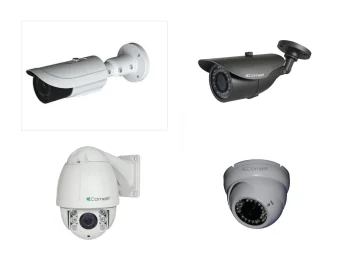
Describe the event you want to understand
Make a short list of the questions the system should help answer. For example, you may want to see a caller at the entrance, review activity near a gate or understand movement through a business area. Keep each proposed view tied to a purpose rather than simply looking for somewhere to mount a camera.
Decide which views matter most. If the budget is limited, a clear priority helps the discussion focus on the required result. Avoid assuming that one very wide image will provide useful detail at every distance. Ask how the proposed position addresses the particular point where you need to see clearly.
Consider normal conditions, not an empty scene
Think about the area with doors open, vehicles parked, deliveries taking place and ordinary lighting in use. A view that looks unobstructed during a quiet visit may be different during normal operation. Tell the team about regular obstructions and times when existing footage becomes unhelpful.
Discuss daylight and after-dark requirements separately where necessary. Bright entrances, shadows and reflections can affect a view. Describe the problem you experience rather than prescribing a replacement camera before the position and conditions have been assessed together.
Keep property boundaries deliberate
Identify the space you control and any shared or neighbouring areas near the proposed view. Establish who can authorise equipment on the intended surface. Recording a communal entrance involves different practical responsibilities from recording a private doorway, even if the cameras appear similar.
Consult the ICO guidance appropriate to home or business use. Planning a technical installation and deciding how recordings will be operated are related but distinct tasks. Consider the intended coverage and responsible person before installation, rather than treating privacy questions as something to address only after a complaint.
Plan the equipment behind the cameras
Discuss cable routes, available power and the location of recording equipment. Mention restrictions on drilling, access through shared areas and the timing of building work. A tidy installation depends on these decisions as well as the visible camera position.
If you want phone viewing, explain the available internet connection and who manages it. Ask what is recorded locally and which remote features depend on external connectivity or services. Make any subscription or other ongoing cost clear before accepting the quotation. Do not assume live viewing and recording always have identical dependencies.
Decide how footage will be found and used
Agree who administers the system and which users can view or export recordings. Ask what recording history is proposed and how the settings and storage relate to that requirement. An unlimited archive should not be assumed, and a live image does not establish that the recording arrangement meets your needs.
At handover, practise finding an event at a particular time and exporting a clip. Use the controls the responsible person will actually use. If several people need access, make sure their responsibilities are clear rather than simply distributing one shared account without discussion.
Compare the complete installation
Read quotations against the required views, equipment, recording arrangement and installation work. For an upgrade, ask which cameras or recorders are retained and whether they suit the proposed result. Adding cameras does not automatically resolve an issue with an existing angle, lighting condition or playback process.
Give C&C your postcode, property type and the views you want to discuss. Mention any existing equipment and access constraints. The team can assess the requirements and prepare a free quotation. After installation, review coverage when the property changes so new obstructions or altered entrances are not overlooked.